Formatted before it's written.
Create a series for any recurring meeting — from scratch, or by uploading a PDF of an example you like. Every session comes out in that exact shape, ready to send, with last time's open items already carried forward.
AI recorder & transcriber · Switzerland
Core records, transcribes and writes up every meeting in the format you set beforehand. Allow auto-send and it goes straight to everyone who was there — or get an editable draft and send it yourself.
Core · Core Mini · Core Mobile — launching soon
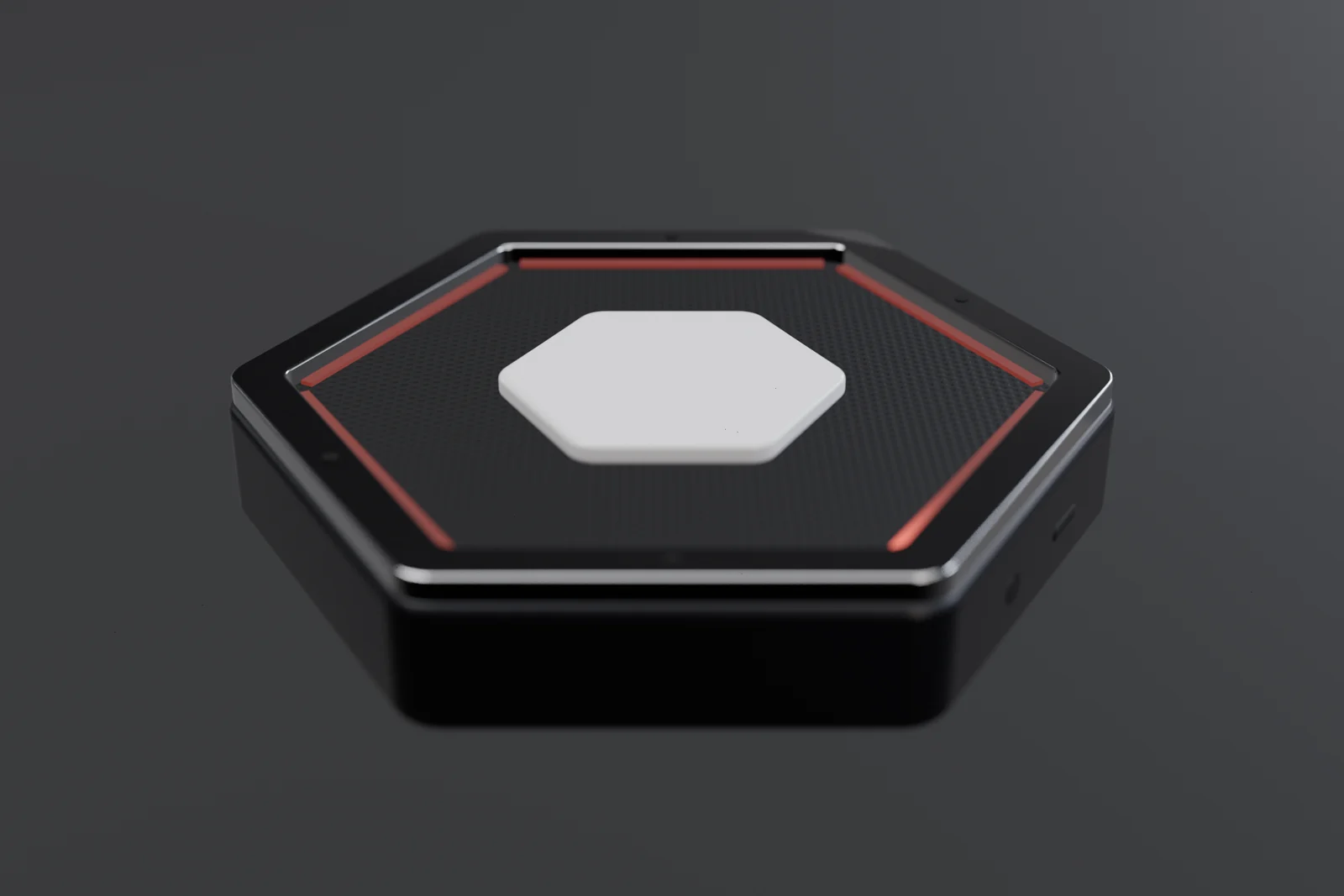
Core · for meeting rooms
Shaped like our mark.
Built for the room.
Not another transcript
Other recorders hand you a transcript and a to-do list. Clean it up, reformat it, find everyone's email, send it. Core does all of that before you've left the room.
Use cases
From the weekly sync to the site visit, Core fits the way you already meet — in the room, on you, or on your phone.
Core starts with the calendar invite, follows each speaker around the table and sends the write-up to everyone who was there — with last week's open items carried forward.

Clip on Core Mini before the visit. By the time you're back in the car, the client and your team have the same summary — commitments, next steps and dates.

Upload a PDF of your existing minutes and Core matches it — headings, attendance, resolutions. Members receive the minutes the moment the meeting closes.

Make each role a series with the questions that matter. Every interview comes out in the same shape, so comparing candidates takes minutes, not an afternoon.

Wear Core Mini on your jacket and take pictures in the app as you walk the site. Each photo lands in the right place in the report.

Snap every whiteboard and slide as you go. Participants receive the write-up with each picture in the right section — no more photos of photos.
How it works
Tell Core what a recurring meeting should produce: the sections, the tone, what to pull out. Add the people who attend and how to reach them. A recurring meeting becomes its own series the first time you record it.
Core and Core Mini start by themselves when the meeting in your calendar does — or press the button whenever you like. On your phone, a reminder five minutes before lets you start with one tap. Snap the whiteboard or a slide — the picture is placed and formatted in the document automatically.
The moment transcription is complete, the finished document is ready. Allow auto-send and it goes straight to everyone who was there. Leave it off and you get an editable draft: check it, change anything, then send.
Features
Create a series for any recurring meeting — from scratch, or by uploading a PDF of an example you like. Every session comes out in that exact shape, ready to send, with last time's open items already carried forward.
Core and Core Mini start on their own when a meeting in your calendar begins — or press the button any time. On your phone, a reminder five minutes before comes with a button that records it.
Take photos in the app while you record. They're formatted into the document, right where they belong.
Add attendees and their contact details before the meeting. With auto-send on, the finished notes reach each of them automatically; with it off, they wait for you as a draft.
Prefer to check first? Leave auto-send off and every write-up arrives as a draft you can edit, then send. Most of the time, you won't need to change a thing.
Series
Each meeting in a series builds on the one before. Anything left open is carried into the next write-up — automatically, or by hand in the app — until it's done. A series isn't a folder of notes. It's the story of how the work moved.
Run the pilot with three customer sites.
Launch window set for November.
Since last meeting: 1 closed · 1 still open
Pilot launch confirmed for 18 November.
If something agreed in one meeting doesn't come up in the next, Core checks in with the person responsible — and adds their answer to the series, so nothing quietly slips.
In-app assistant
Ask what was decided, who promised what, or what changed since last time. Cora answers from your past meetings — and shows you where it was said.
Connectors
Core reads your calendar to know when to listen and who's in the room — then sends the write-up where your work already lives: inboxes, docs, boards and channels.
Reads
Calendars
Sends to
Docs & files
Tasks
Chat
CRM
Core reads your calendar to start on time and to pick up the attendee list, so the write-up goes to the right people.
Core starts recording at 10:00
Each attendee gets the write-up by email — automatically if you allow it, or as a draft you check first.
Every write-up is saved as a document in its series' folder — searchable alongside the rest of your work.
Drive › Product › Weekly product sync
Owners and due dates carry over, so decisions turn into cards on your board without anyone copying them across.
A short summary lands in the channel your team already reads, with a link to the full write-up.
# product
Weekly product sync — 3 decisions, 5 action items, 1 carried over. Read the notes →
Notes from client conversations are attached to the right contact or deal, with the next step and its date.
A first set of connectors is built, and we add new ones all the time. Missing yours? Tell us on the waitlist.
Core Mobile
Record from your phone, keep every meeting and series in one place, ask Cora, and manage your Core devices — one app for all of it.
The Core family
Use Core on your phone alone, or pair it with hardware made for the room and for the road. Every device shares the shape of our mark.
Sits on the table and wakes up with the calendar invite — or starts with a press of the button. When the meeting ends, the write-up goes to everyone present, or waits as a draft if you'd rather check it first.
≈ 3.5 cmA pin about 3.5 cm across that clips onto your shirt or jacket. Let it start with your calendar, or press it whenever you want to record — when you get back, everything is already written up.
Record anywhere with nothing but the app — or pair it with Core and Core Mini. Series, photos and Cora all live here.
In the room
Core's four-microphone array covers the whole room, 360° around. Its light ring turns toward whoever is speaking — so everyone can see they're being heard.
Inside Core
Under the aluminium rim and the acoustic mesh sits the board that does the listening.
An XMOS XVF3800 voice processor, four MEMS microphones in a circular array and twelve addressable LEDs — a board built to listen to a whole room.
The board drops into a hexagonal body cut to the outline of our mark, then the rim, mesh and button close over it.
A light ring on top follows the shape of the device and lights up toward whoever is speaking.
Tech specs
Studio-grade voice hardware in the shape of our mark, with our software doing the rest.


Specifications are for the current hardware and may change before launch.
Swiss company
Core is a Swiss company and fully European-based. Your meetings are some of the most sensitive conversations you have — they deserve to stay close to home.
Roadmap
The software is done, the custom model is trained, and Core is already in real meeting rooms. Here's where everything stands — and where you come in.
5 of 12 milestones complete
Recording, transcription, series and automatic delivery — the whole pipeline is built.
The model behind Cora and the write-ups, trained for meetings and built in-house.
Meetings, series, Cora, recording with photos and calendar reminders — all in the app.
Core Mobile has been through our internal test rounds.
The first Core prototype is complete and now in testing.
Core is running in real meeting rooms with partner businesses right now.
Core checks in with the team when an action item from the last meeting didn't come up — and adds the answer to the series. Being tested now.
Core Mobile opens to outside testers. The waitlist is how you get in.
Join the waitlist to test itCore moves beyond our partner businesses to a wider group of testers.
Our first public launch — the app, for everyone.
The meeting-room device becomes available to businesses.
The wearable pin joins the family.
External tests opening
Core Mobile is about to open to outside testers. Join the waitlist to get in early, shape what we launch — and be first in line for Core and Core Mini.
What Core gives back
Based on 46 working weeks. Your numbers, not ours.